

INSIGHT DETAIL
Wi-Fi Pineapple
Wi-Fi Pineapple: What It Is and How It Tests Wireless Security A Wi-Fi network can look familiar and still be the wrong one.That is exactly why tools like Wi-Fi Pineapple are used in wireless security testing.
%201.svg)


September 16, 2026
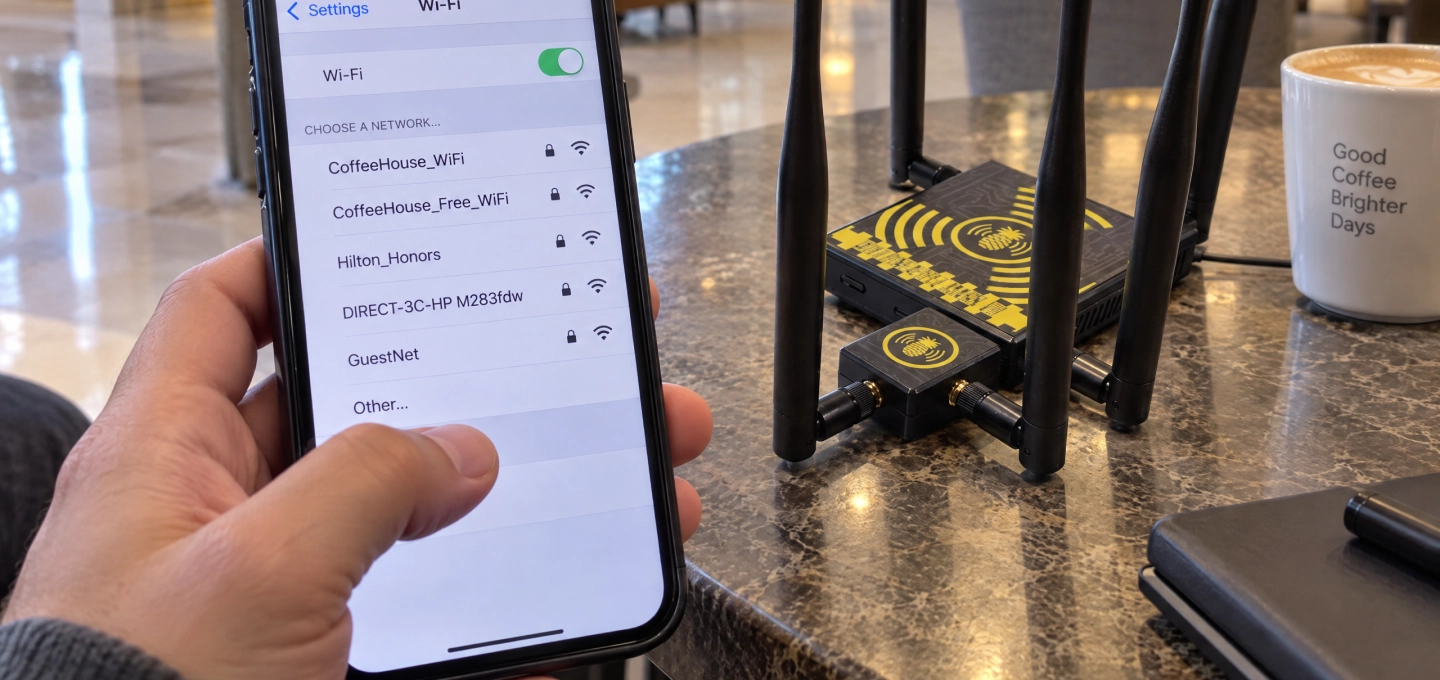
A Wi-Fi network can look familiar and still be the wrong one.
That is exactly why tools like Wi-Fi Pineapple are used in wireless security testing.
Wi-Fi Pineapple is a portable device designed for Wi-Fi auditing, network reconnaissance, rogue access point testing, and other authorized wireless assessments.
The important part is not the gadget itself.
It is what the test reveals about the network.
Wi-Fi Pineapple is often used by security professionals during Wireless Security Testing and authorized Penetration Testing.
It can help researchers understand how nearby devices react to wireless networks and whether users or systems are too willing to trust a familiar network name.
That matters in places like offices, hotels, airports, and cafés, where many Wi-Fi networks may appear at the same time.
A Rogue Access Point is an unauthorized Wi-Fi access point that appears inside or near a trusted environment.
It may look normal at first.
The problem is that users may connect to it without realizing it is not part of the real network.
This is one reason organizations perform regular Wi-Fi Auditing.
Evil Twin Attacks and Network Trust
An Evil Twin is a fake wireless network created to resemble a legitimate one.
The name may be almost identical to a real hotel, office, or café network.
If a user connects to the wrong one, the device is now communicating through an untrusted network.
Wi-Fi Pineapple can be used in controlled security tests to see how realistic that scenario is.
Before securing a wireless environment, teams need to understand what is actually around them.
That is where Network Reconnaissance comes in.
Security teams may look at nearby networks, signal behavior, access points, and devices searching for connections.
The goal is to find weak assumptions before someone else does.
Wi-Fi Pineapple is useful because it makes one thing very clear:
A familiar Wi-Fi name is not proof of a trusted network.
In wireless security, verification matters more than recognition.
Sometimes the safest habit is simply to verify before connecting.
Disclaimer
This article is intended for informational, educational, and cybersecurity-awareness purposes only. Wi-Fi Pineapple and similar wireless security tools should only be used on networks and systems you own or have explicit authorization to test. Unauthorized access or interference may violate applicable laws and regulations.